Administrate your API Client credentials
Administrate your credentials in the /system administration panel. You will be able there to
- Create new credentials
- Edit credentials permissions
- Revoke credentials
Create new credentials
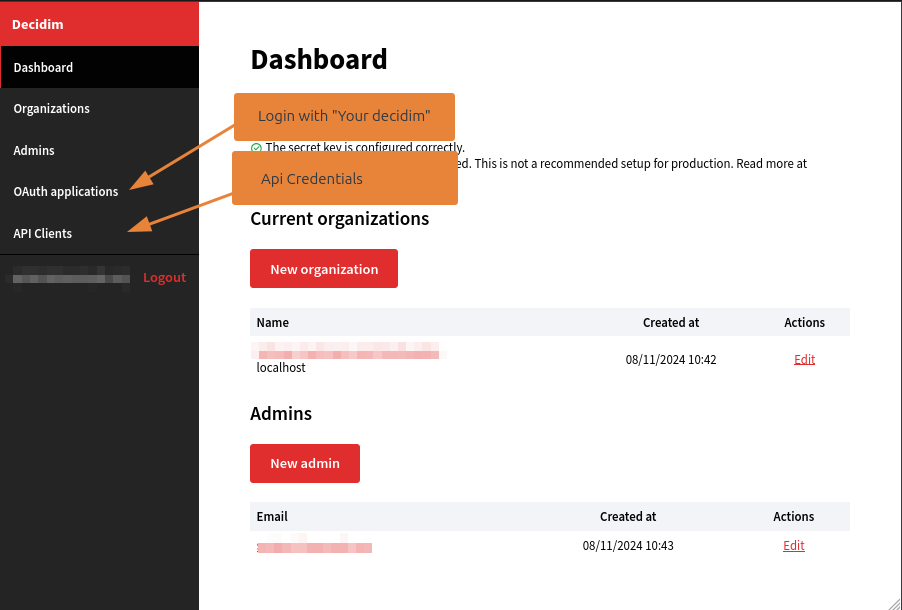
To create new credentials, goes on the Api Clients menu.
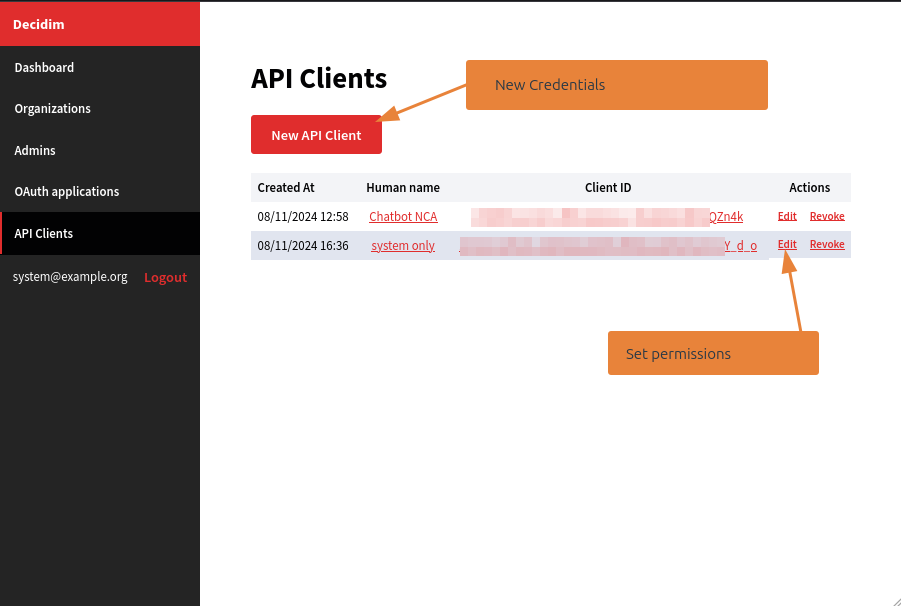
You can then create a new credential clicking on New Api Client
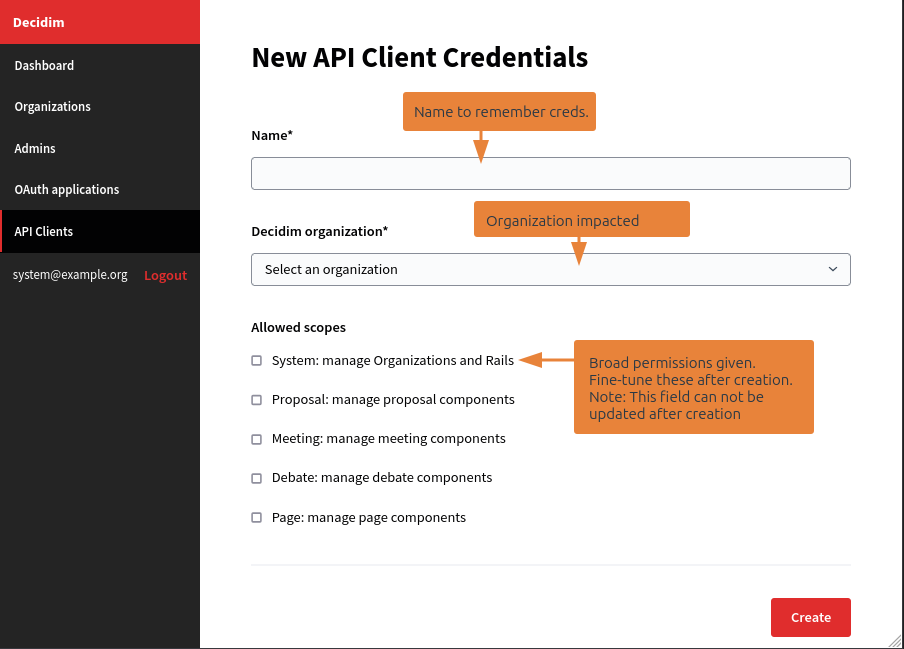
Now, define a name for credentials, to easily locate it later. Select an organization, to bind the credentials to one of the Decidim Organization (multi-tenant).
Finaly, define scopes to give the credential access to some part of your Decidim Data.
Once created, you lend on the edition screen of the credentials.
Edit a credential
You can define fine-grained permissions on the created credentials.
In this screen, you can also use the client_id and client_secret used to authenticate you.
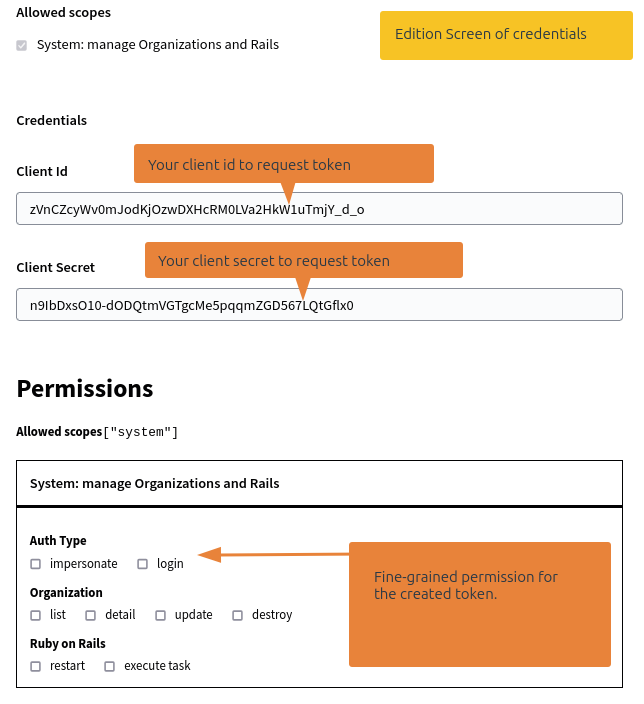
Fine-grained permissions are editable after the credential creation, scopes are not. If you need to add a new scope, you need to revoke the credentials, and create a new one.
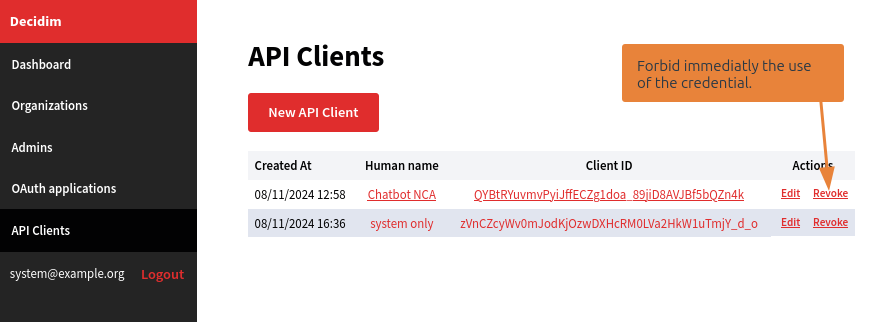
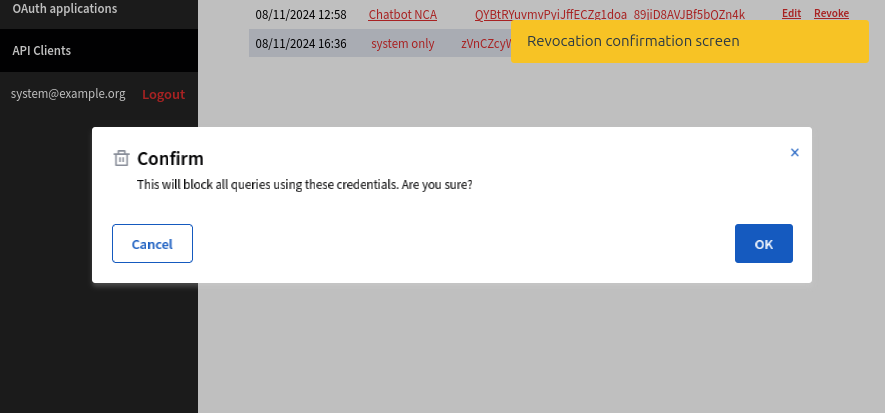
Revoke a credential
At anytime, you can revoke a credentials. This will permantly and immediatly remove access of this client. Generated token by this credentials won't be valid anymore, even they are still before date of expiration.
Shell provisioning (optional)
For servers, CI, or automation, the gem ships an api-client binstub (create, get, grant, revoke). That reference lives with the other developer docs: API client CLI.