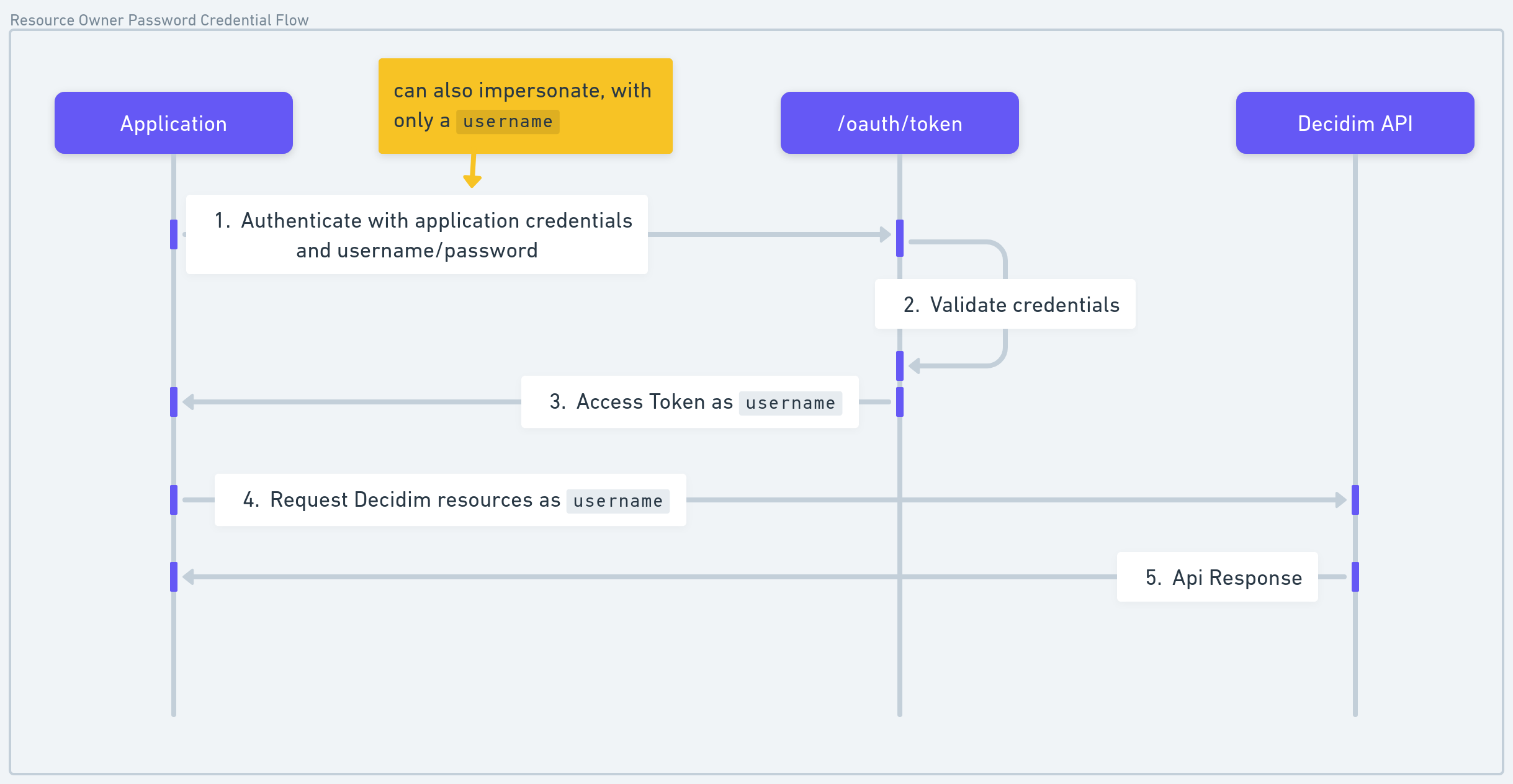
User Authentication (Resource Owner Password Flow)
This flow allows you to authenticate on behalf of a user, granting access to user-specific data in the Decidim API. With a ROPC token, you can for example:
- Create a proposal in behalf of a user
- Follow an assembly in behalf of a user
- Comment
- etc.
This authentication is the default one for most of the endpoints, expect the system endpoints that requires a machine-to-machine token.
Authentication type
The ROPC flows allows two kind of authentication, use the auth_type attribute to define the kind of ROPC you want to do.
impersonate: just give a username, it will upsert a user, and act as the user.login: give a username/password, and start acting as the user.
How to Get a Token
Use the grant_type=password with user credentials to request an access token. Ensure your OAuth application has the correct client ID, client secret, and scopes.
Parameters
login auth type
- required:
grant_type: Must bepassword. - required:
auth_type: Must belogin. - required:
username: The user's unique identifier (e.g., nickname or email). - required:
password: The user's password. - required:
client_id: Your OAuth application Client ID. - required:
client_secret: Your OAuth application Client Secret. - required:
scope: The permissions requested (e.g.,public proposals).
impersonation auth type
- required:
grant_type: Must bepassword. - required:
auth_type: Must beimpersonate username: The user's unique identifier (e.g., nickname or email). Required ifidis not present.- required:
password: The user's password. - required:
client_id: Your OAuth application Client ID. - required:
client_secret: Your OAuth application Client Secret. - required:
scope: The permissions requested (e.g.,public proposals). meta:register_on_missing: If user not found, create oneaccept_tos_on_register: If the user has already accepted the tosskip_confirmation_on_register: Don't send a confirmation email, and confirm it directlyname: The profile public name, used only ifregister_on_missing=trueemail: The profile email, used only ifregister_on_missing=true
extra: Any extra fields for the user. Will be updated on found / creation.
Example Reponse
{
  "access_token": "<token>",
  "token_type": "Bearer",
  "expires_in": 7200,
  "scope": "public proposals"
}
Error Handling
Invalid Credentials
{
  "error": "invalid_grant",
  "error_description": "The provided authorization grant is invalid, expired, or revoked."
}
Unauthorized Scope
{
  "error": "invalid_scope",
  "error_description": "The requested scope is invalid, unknown, or malformed."
}