Rack Attack
Rack Attack Security
This module includes comprehensive security configurations for Rack::Attack to protect your Decidim instance from various attacks and abuse.
Features
- Allow2Ban protection - Temporary bans after repeated violations
- Fail2ban protection against common attack patterns
- System access protection with IP safelisting
- Email-based protection for authentication endpoints (resistant to IP changes)
- Configurable rate limits and ban durations
Protected Endpoints
| Endpoint | Method | Max Attempts | Ban Duration | Description |
|---|---|---|---|---|
/api | POST | 300/min | - | API requests (throttled) |
/users | POST | 10/min | 10 min | User registration (Allow2Ban) |
/users/sign_in | POST | 30/min | 10 min | User login (Allow2Ban, email-based) |
/users/password | POST | 5/min | 10 min | Password reset (Allow2Ban, email-based) |
/comments | POST/PUT | 10/min | 10 min | Comment operations (Allow2Ban) |
/conversations | GET | 100/min | 10 min | Conversation viewing (Allow2Ban) |
/conversations | POST/PUT | 20/min | 10 min | Conversation operations (Allow2Ban) |
/system | All | IP safelist | - | System administration |
Security Features
Allow2Ban Protection
Most endpoints use Allow2Ban instead of simple throttling:
- Tracks violations: Counts failed attempts within a 1-minute window
- Temporary bans: Automatically bans the source (IP or email) for 10 minutes after hitting the limit
- Auto-recovery: Bans expire automatically, allowing legitimate users to retry
- Email-based protection: Authentication endpoints track by email address, making them resistant to IP changes
Fail2ban Protection
Automatically bans IPs for an hour that attempt to access forbidden paths or common attack vectors:
- WordPress-related paths (
/wp-admin,/wp-login, etc.) - System files (
.env,.git,.htaccess, etc.) - Common exploit attempts
System Protection
Restricts access to /system routes to safelisted IPs only, preventing unauthorized administrative access.
Environment Variables
| Variable | Description | Default |
|---|---|---|
RACK_ATTACK_ENABLED | Enable/disable Rack::Attack | true |
RACK_ATTACK_BLOCK_SYSTEM | Block system access from non-safelisted IPs | true |
RACK_ATTACK_FAIL2BAN_PATHS | Comma-separated paths to monitor for attacks. Ban for 1 hour | /etc/passwd,/wp-admin,/wp-login,/wp-content,/wp-includes,.ht,.git,.log,.lock,.env,.php,.conf,/mifs,LogService |
RACK_ATTACK_GET_CONVERSATIONS_PER_MINUTE | GET requests to conversations, by IP address | 100 |
RACK_ATTACK_POST_CONVERSATIONS_PER_MINUTE | POST/PUT requests to conversations, by IP address | 20 |
RACK_ATTACK_POST_SIGNUP_PER_MINUTE | User registration attempts before ban | 10 |
RACK_ATTACK_POST_SIGNIN_PER_MINUTE | User login attempts before ban, by email | 30 |
RACK_ATTACK_POST_PASSWORD_RESET_PER_MINUTE | Password reset attempts before ban, by email | 5 |
RACK_ATTACK_POST_COMMENTS_PER_MINUTE | Comment operations before ban | 10 |
RACK_ATTACK_API_PER_MINUTE | API requests per minute (throttled) | 300 |
RACK_ATTACK_BAN_MINUTES | Ban duration in minutes | 10 |
SAFELIST_IPS | Comma-separated IPs to safelist for all access. Will disable Rack::Attack for them. | - |
DECIDIM_SYSTEM_ACCESSLIST_IPS | System access IP safelist. Details in official documentation | - |
How Allow2Ban Works
- Monitoring Phase: Tracks violations within a 1-minute window
- Ban Trigger: When violations exceed the limit, the source gets banned
- Ban Duration: Source remains banned for the configured duration (default: 10 minutes)
- Auto-Recovery: After the ban expires, the source can try again
Example: If RACK_ATTACK_POST_SIGNIN_PER_MINUTE=10 and RACK_ATTACK_BAN_MINUTES=10:
- User can attempt 10 logins per minute
- After 10 failed attempts, their email gets banned for 10 minutes
- After 10 minutes, they can try again
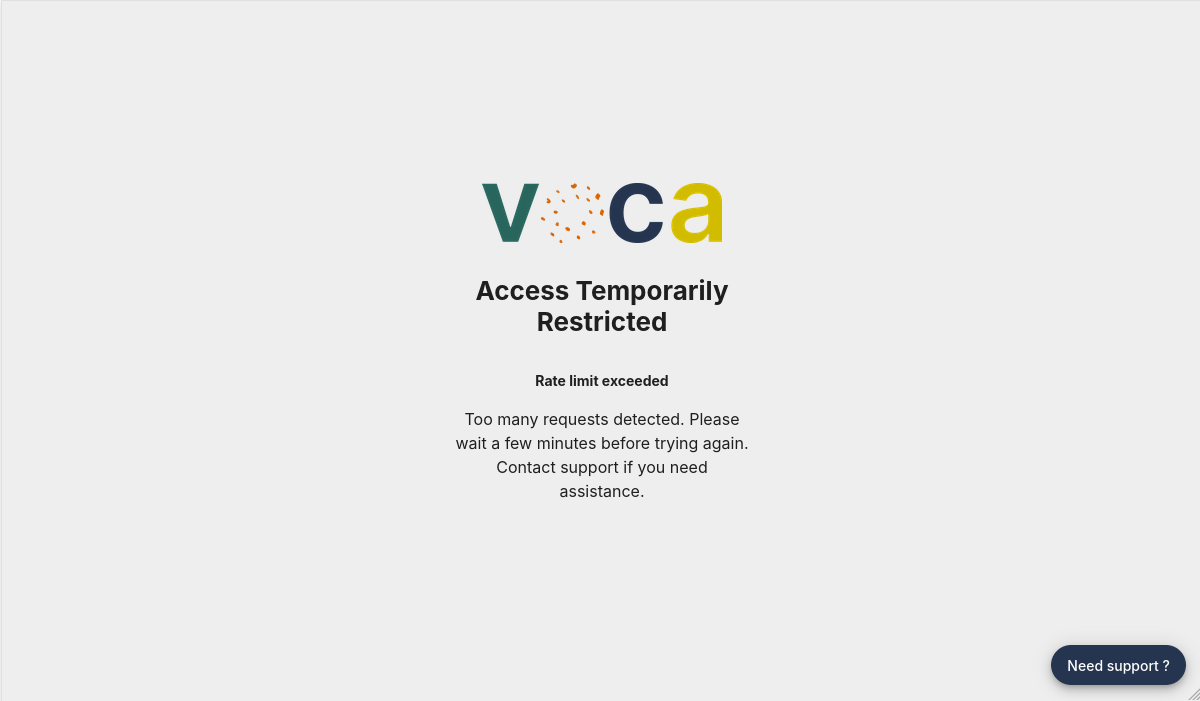
Screen displayed on ban, locales are configurable
Development Testing
To test Rack::Attack in development:
touch tmp/caching-dev.txt
export RACK_ATTACK_POST_COMMENTS_PER_MINUTE=1
Decidim::Voca.configuration.rack_attack
# =>
# {:enabled=>true,
#  :throttles_retry_after_minutes=>10,
#  :block_system=>true,
#  :fail2ban_paths=>
#   ["/etc/passwd",
#    "/wp-admin",
#    "/wp-login",
#    "/wp-content",
#    "/wp-includes",
#    ".ht",
#    ".git",
#    ".log",
#    ".lock",
#    ".env",
#    ".php",
#    ".conf"],
#  :get_conversations_per_minute=>100,
#  :post_conversations_per_minute=>20,
#  :post_signup_per_minute=>10,
#  :post_signin_per_minute=>30,
#  :post_password_reset_per_minute=>5,
#  :post_comments_per_minute=>1,
#  :api_per_minute=>300}

# Now, you can test Allow2Ban by making 2 comments within a minute
# The second comment should trigger a 10-minute ban
Requirements
- Rails cache must be enabled
- Real IP addresses must be forwarded (via proxy/load balancer)
Rack::Attackgem must be available (by default ondecidim)
For detailed configuration options, see the Rack Attack documentation.