Weglot
decidim-voca have pre-configuration for a transparent uses of weglot.
Weglot integration works with subdirectories integration.
Setup weglot account
To setup your weglot configuration, you will need to follow these steps:
- Create a weglot account
- Create a project
- Setup your DNS to let your main domain point to weglot
- Add a TXT DNS entry as weglot ask you
- "Check DNS" and wait around 10min
- Copy the
api_keygiven from the initialization script Weglot gives you - Add the api_key in
WEGLOT_API_KEYin environment variables - Restart your server
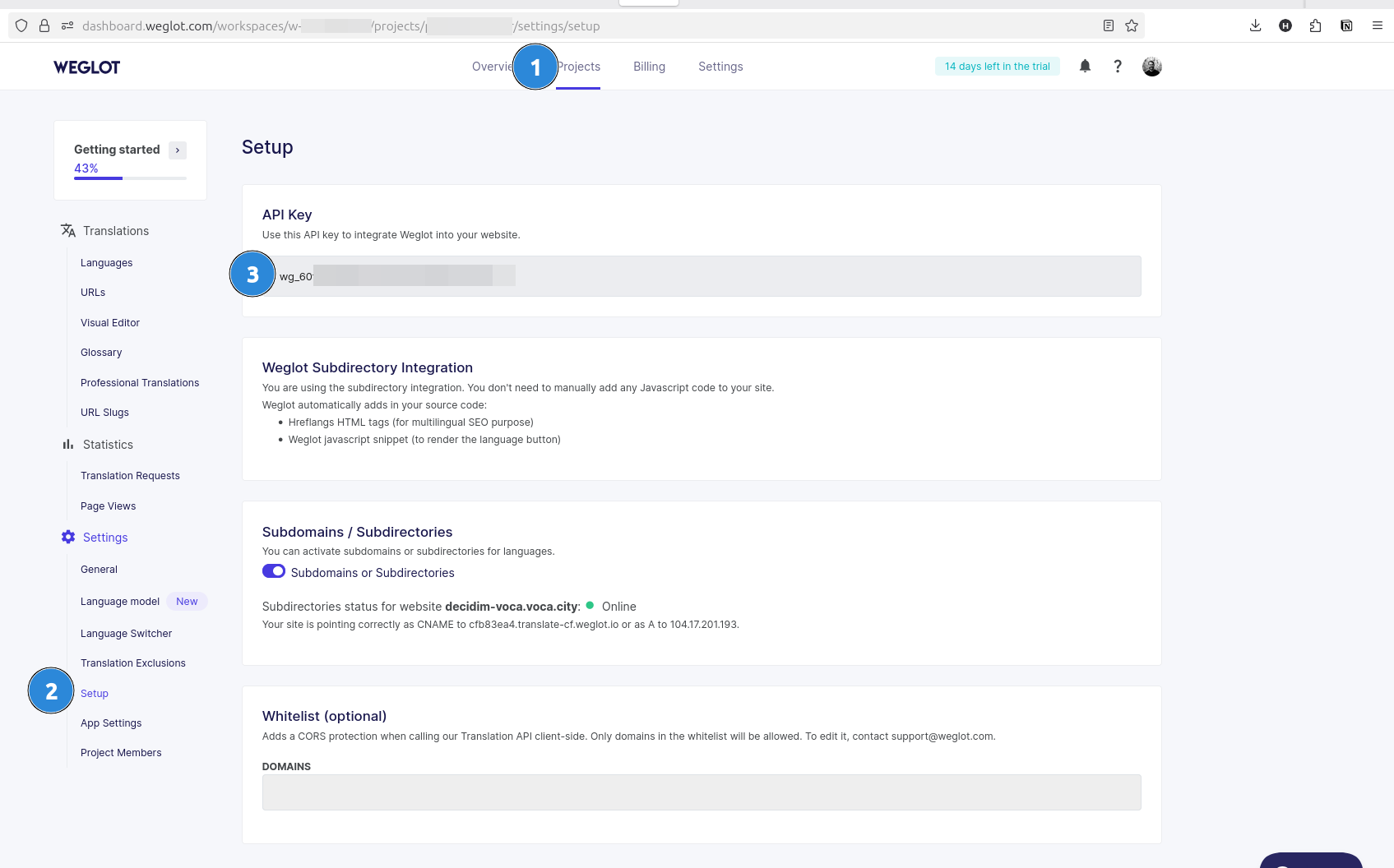
If you lost your api key during the project creation, you can find it in your project dashboard:
Weglot integration is not compatible with Decidim multi-tenant for now, as we share the same API key for the whole serveer
Environment Variables
We use environment variables to configure the module:
| Variable | Description | Default | Options |
|---|---|---|---|
WEGLOT_API_KEY | Api key for weglot | `` | string |
How it works
There is no changes needed with the infrastructure, as the request goes first to Weglot servers (protected with Cloudflare), and then redirect back to your instance.
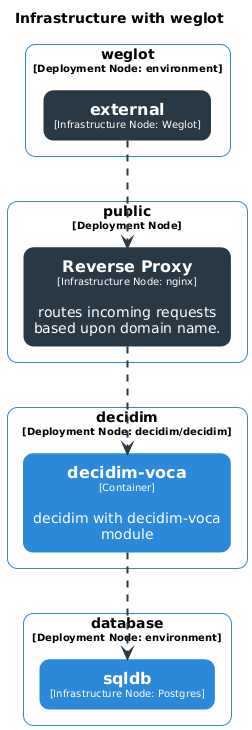
Once the request arrives to Weglot, it will strip the locale subdirectory prefix, and display content.
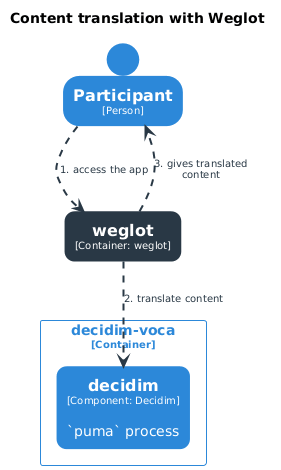
The content will be always cached by weglot, and updated in the background "from time to time"